A real estate client project
Al Khair: listings, admin panel and AI assistant.
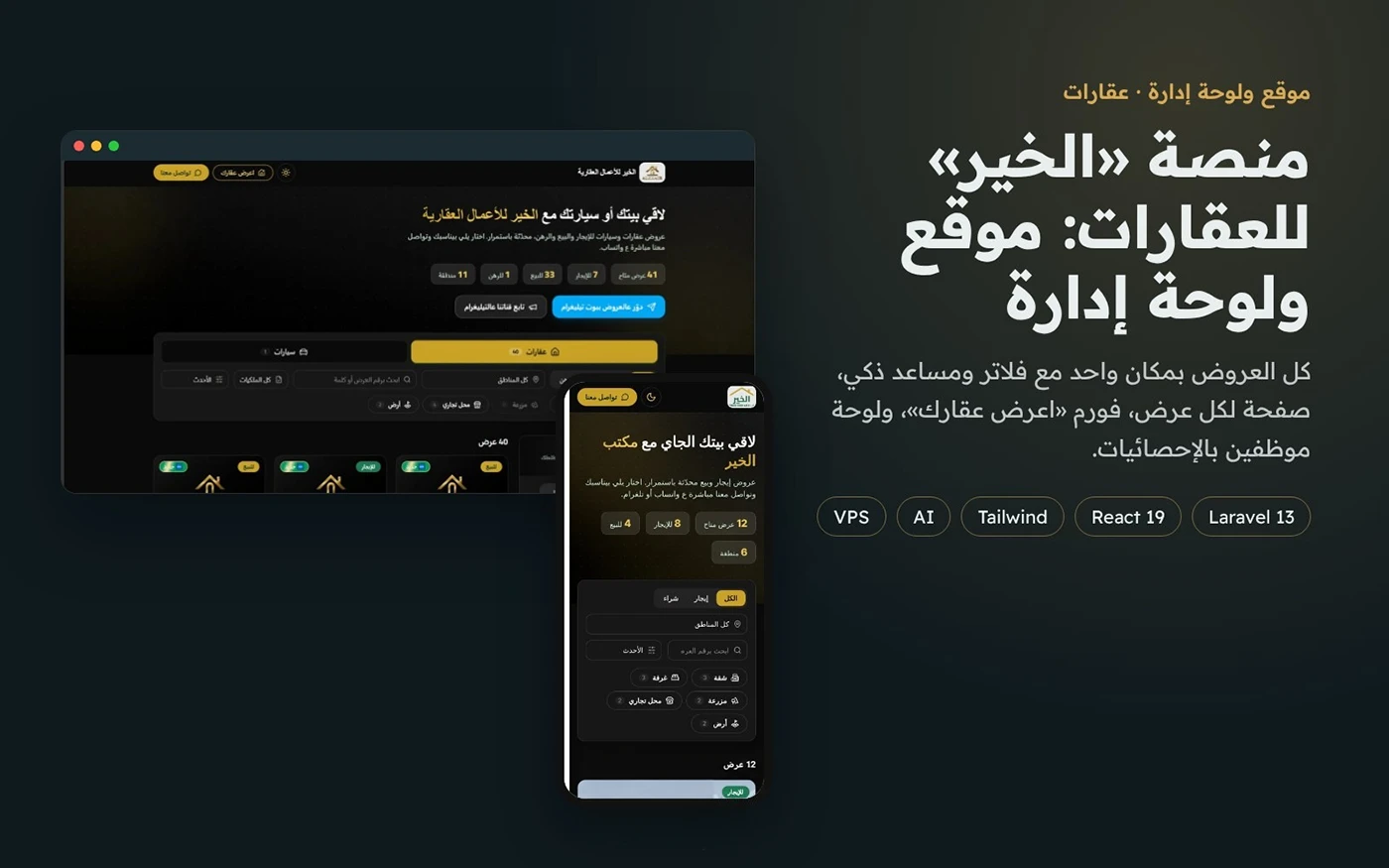
A full website for a real estate office: all rent and sale listings in one place, a staff admin panel, and links to a Telegram bot and the office's contact channels.
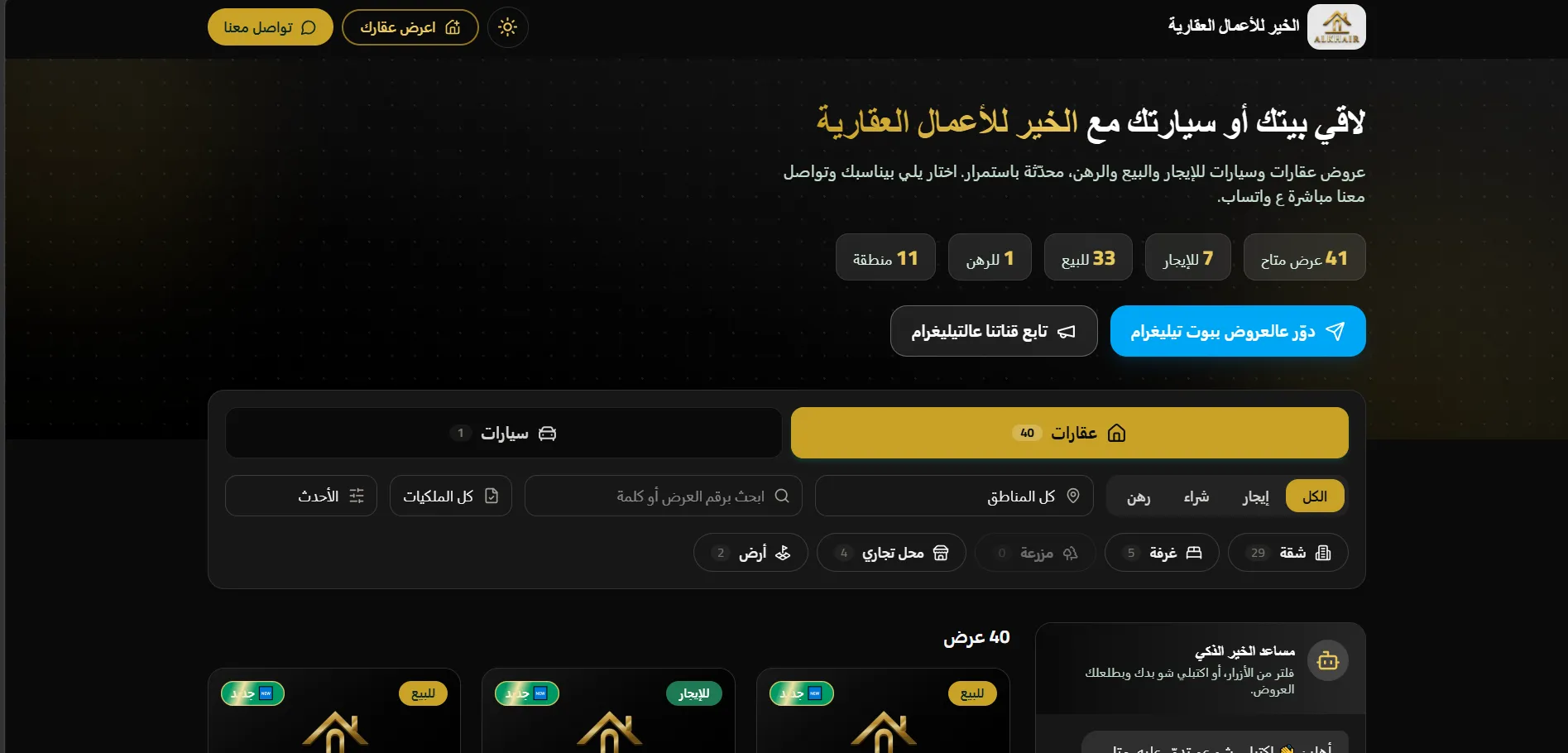
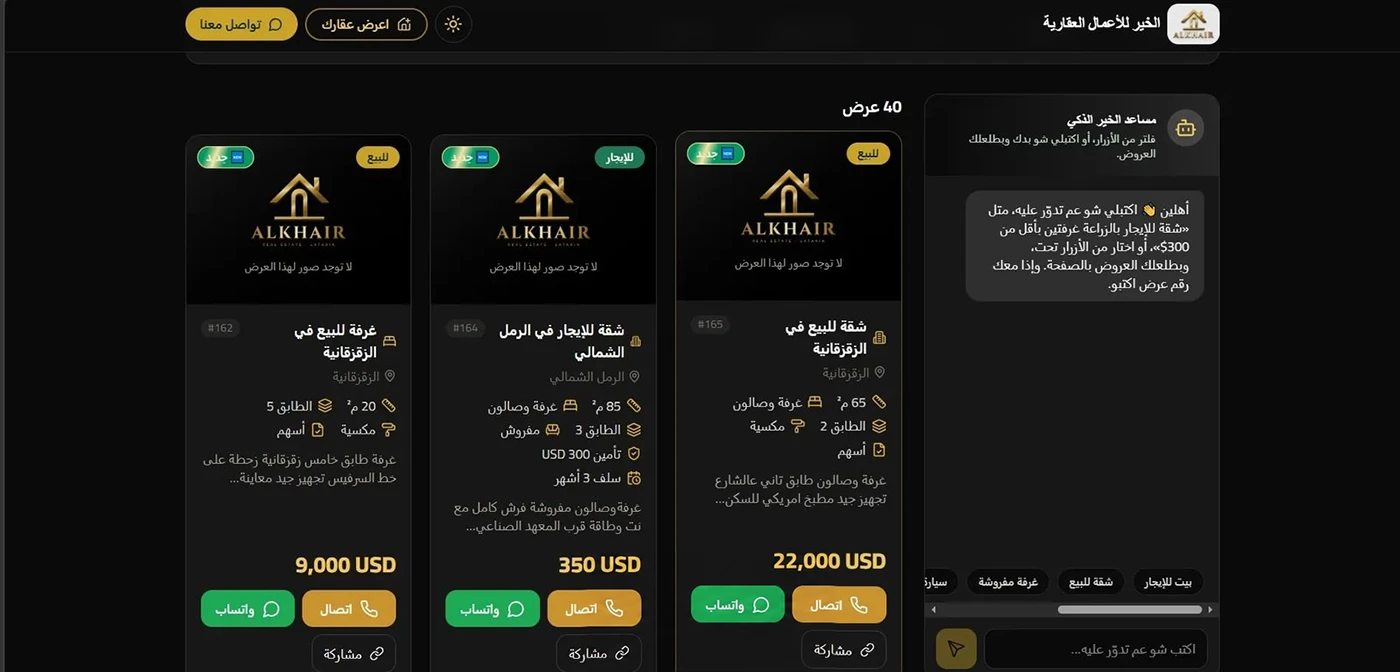
Dark-mode images are from the real site. Listing, visitor and traffic numbers shown in the images are sample data to illustrate the interface, not documented results.
The problem
Listings were scattered across Facebook posts and WhatsApp messages. Customers could not find what fit them, and the office did not know where visitors came from or which listings interested them.
What I built
- Fast public site in light and dark modes. Filter by rent, sale or mortgage, area and property type, and search by listing number or keyword.
- A card and a separate page for each listing, with a photo gallery and call, WhatsApp and share buttons.
- An AI assistant on the site that takes a visitor's free-text request and searches the available listings. Edge cases still need testing.
- A "list your property" form for owners, with up to 10 images compressed automatically.
- Staff panel: add and edit listings, statuses (available, reserved, closed), a trash with 10-day restore, areas and staff management.
- Visitor stats: daily, weekly and monthly, traffic sources and most viewed listings.
Laravel 13 · Inertia · React 19 · Tailwind · VPS with HTTPS (Caddy, Docker)
Automation for the same client
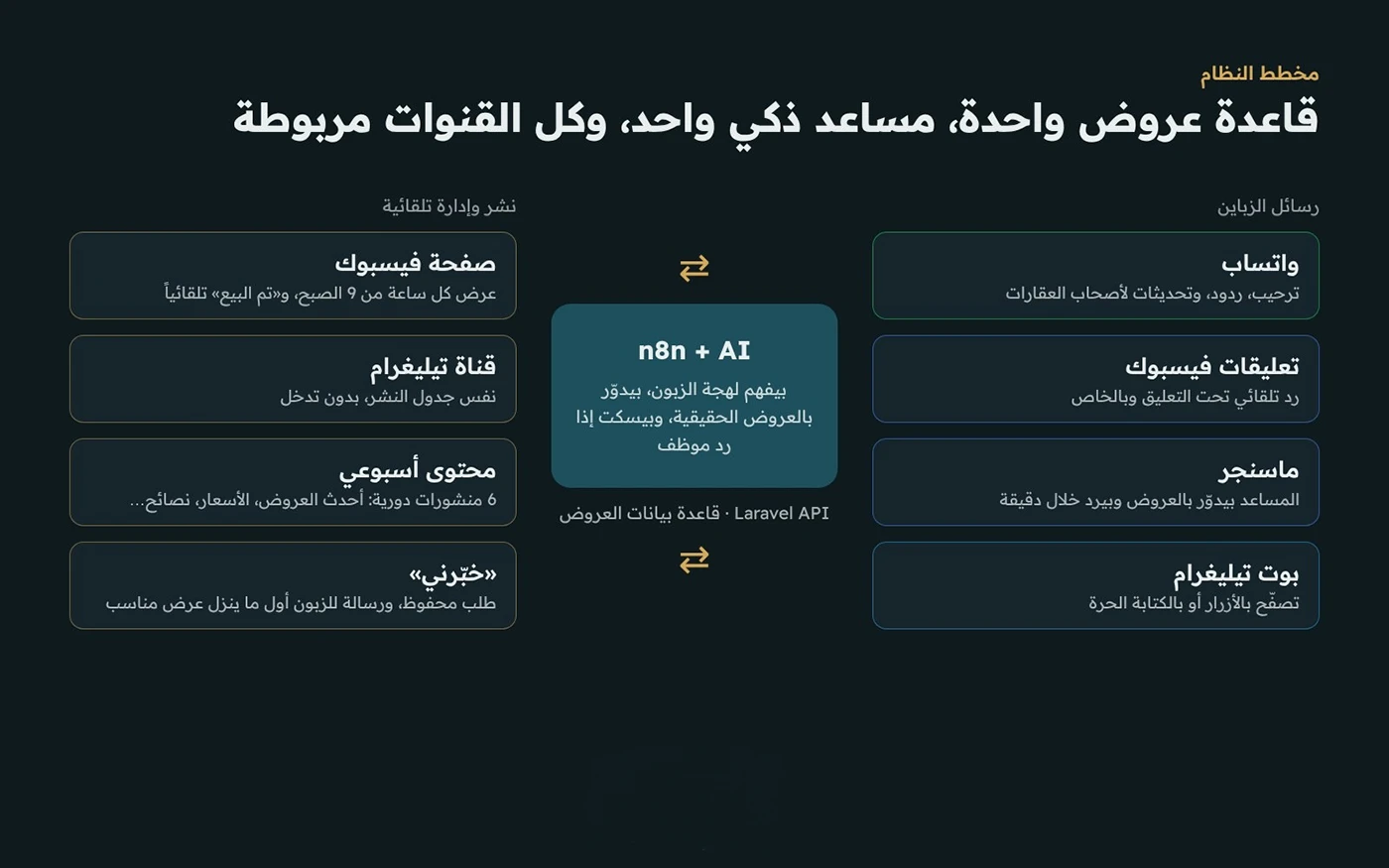
n8n: auto-posting and AI replies on four channels.
An automation system connected to the Al Khair site. A listing is entered once and published to Facebook and Telegram, with an AI assistant that replies on the connected channels.
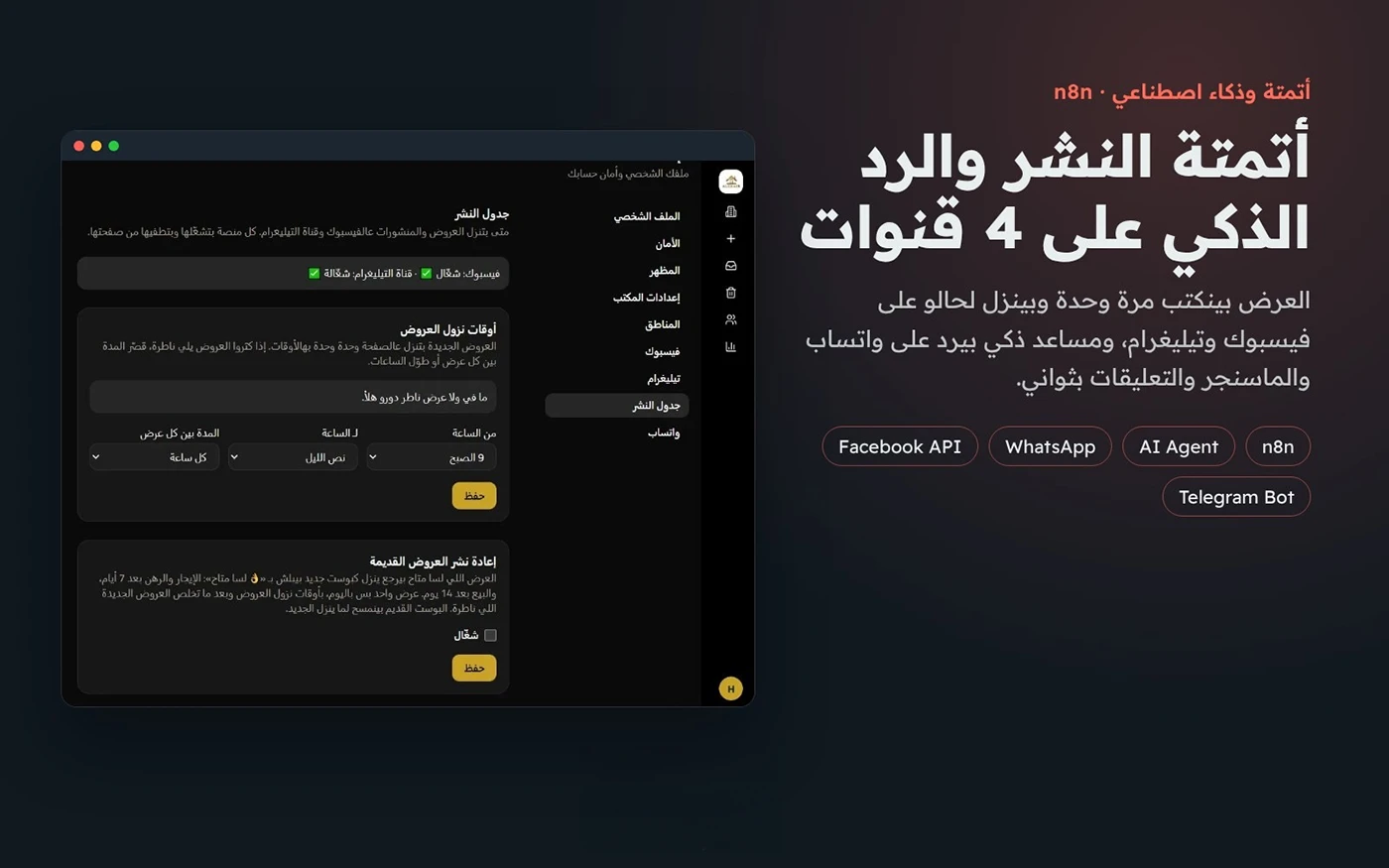
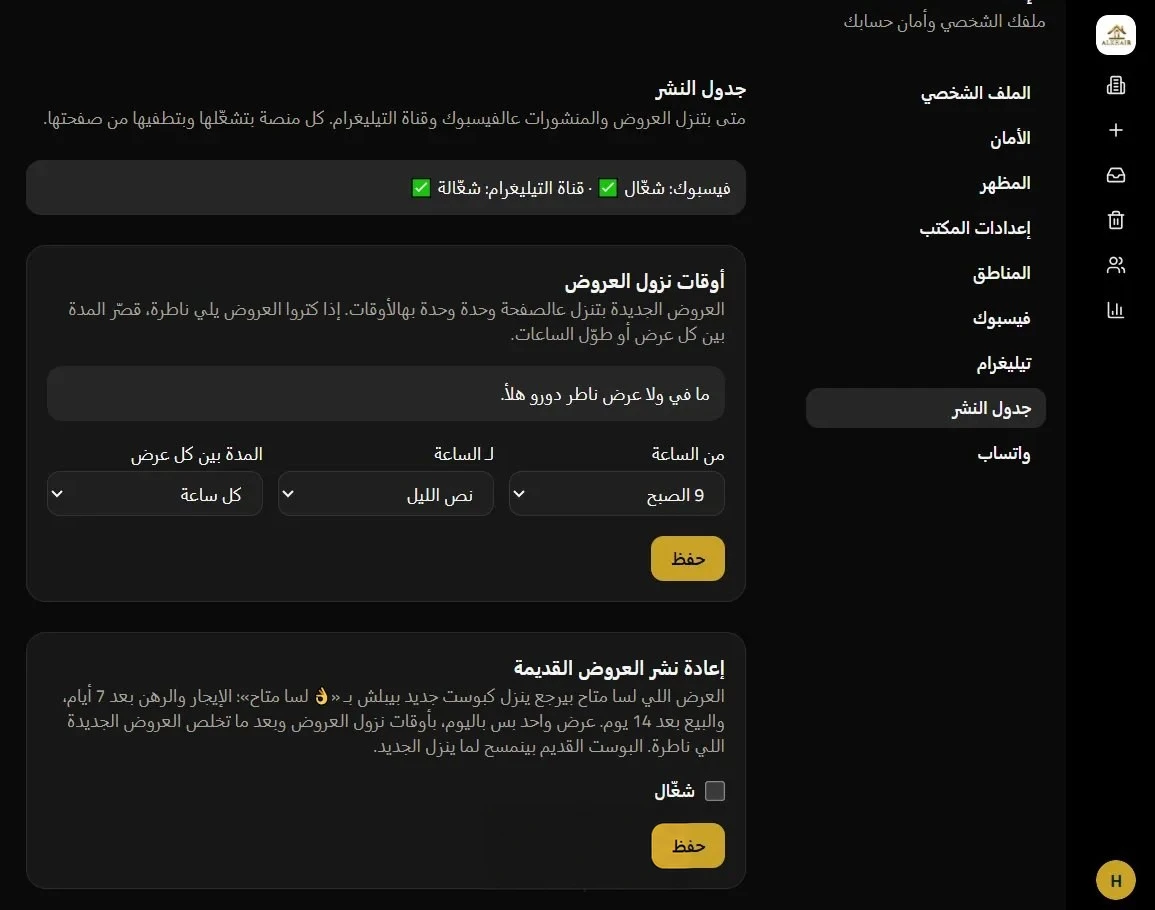
The overview and system diagram are illustrations of the architecture. The admin panel image is from the real panel with identifiers hidden. Comment, chat and engagement counters shown are sample data, not documented results.
The problem
Messages arrive from WhatsApp, Facebook, Messenger and Telegram and staff cannot keep up. A customer who waits hours goes to another office, and every listing is written and posted by hand on each platform.
What I built
- Automatic posting schedule: a new listing every hour from 9:00 to 22:00 on Facebook and Telegram, with a "sold" tag added to the post when a listing closes.
- Six recurring posts that publish on their own: latest listings, featured listings, "what does your budget get you?", prices by area, a weekly tip and an invitation to property owners.
- Automatic replies to Facebook comments: price, details and link sent by direct message, according to system settings.
- An AI assistant on Messenger and WhatsApp that handles text requests and searches listings, and stops replying when a staff member steps in, according to system settings.
- A Telegram browse bot with buttons (rent or buy, area, property type) or typing, built as an n8n workflow over the site API.
- A "notify me" service: if no listing matches, the request is saved and the customer gets the first matching one.
- Automatic WhatsApp messages to property owners when their listing is accepted, booked or sold.
n8n · LLM agent · Facebook Graph API · Telegram Bot API · WhatsApp (WAHA) · Laravel API
A team-built SaaS product
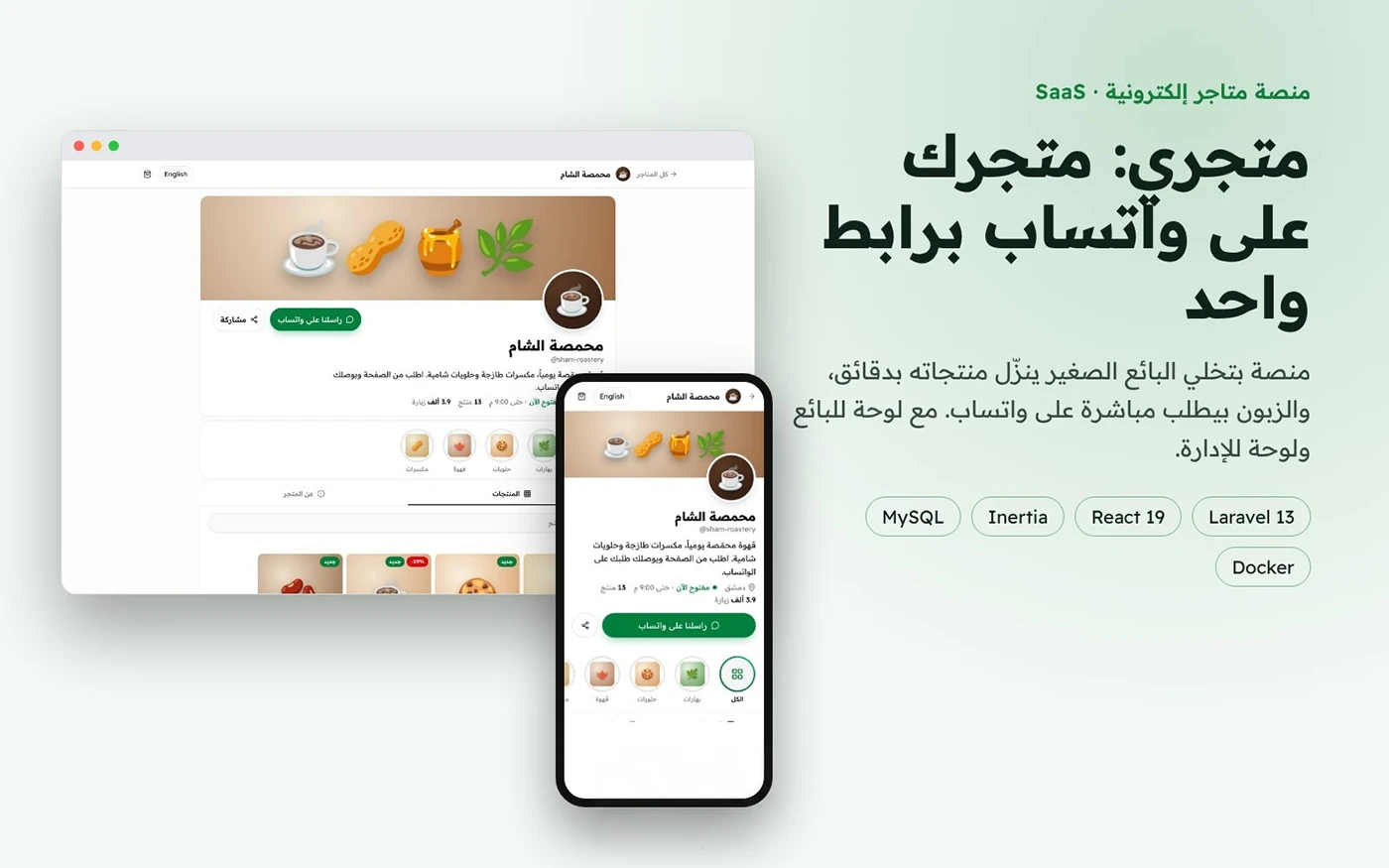
Matjari (متجري): an Arabic store on one WhatsApp link.
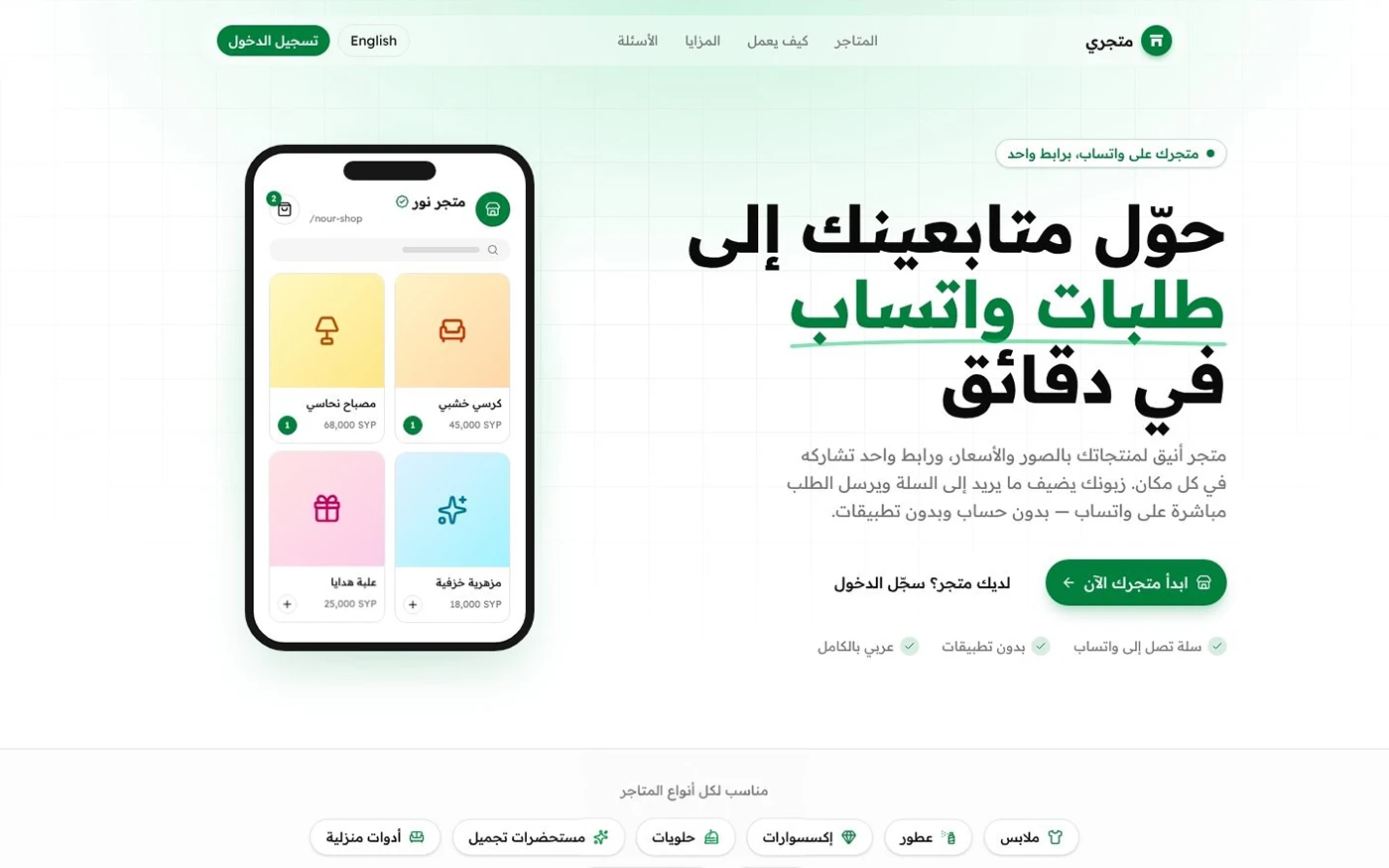
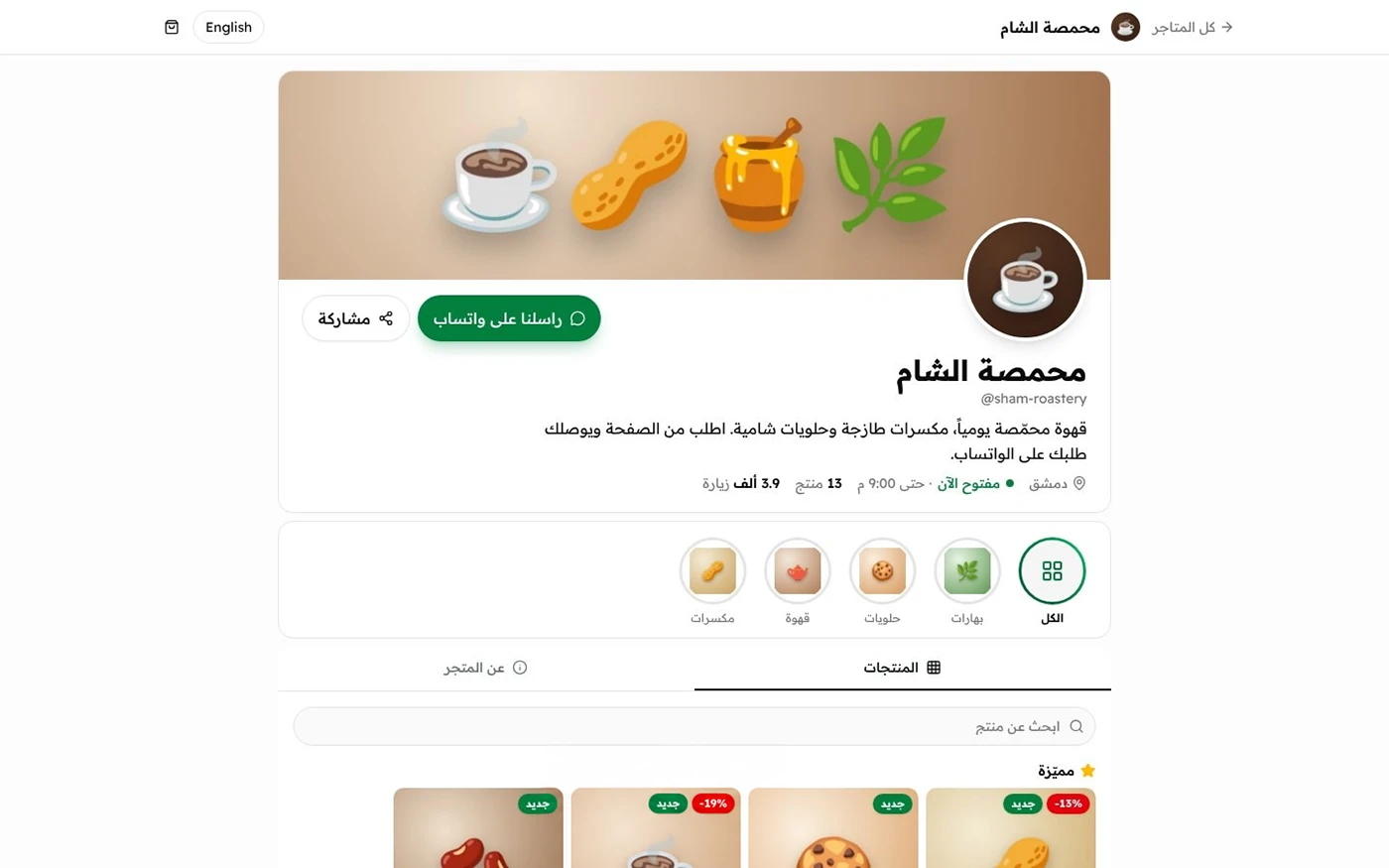
A fully Arabic SaaS platform that lets a small seller create an online store in minutes and share it with one link. Customers order directly on WhatsApp, with no account or app.
Images are from a real run of the platform with sample data (a demo store and two others). Product pictures are illustrations.
The problem
Sellers on Facebook and Instagram lose time answering "how much?" and sending photos one by one. They have no website, and no budget for a conventional store with online payment.
What was built
- A store page for each seller: cover and logo, categories, search, featured products, discounts and opening hours.
- A cart that sends the full order as a ready WhatsApp message to the seller.
- Seller dashboard: manage products, images and options (sizes and colors), drafts, store settings, visit and order stats, and a printable QR sticker.
- Admin panel: create sellers, review store requests, reports, currencies and exchange rates.
- Images compressed to WebP automatically. Arabic and English interface, mobile-first.
Laravel 13 · Inertia · React 19 · MySQL · Docker
My part, in a team of two developers
- Fixed bugs found in testing: a wrong redirect after login (403), WhatsApp number validation, blocking zero prices, and counting a visitor's views once every 10 minutes.
- Performance: the public store page went from 129 JavaScript files to 46.
- Built the new discount feature: an original price with a percentage discount or a new price.
- Set up Docker for development with instant reload, plus the production setup and daily backups.
- Separated the test database from the real Docker database, so the whole test suite runs in minutes instead of two and a half hours.
- Result: production-ready, all unit and feature tests pass, running on a VPS with HTTPS.